Manual Clinic Management vs. Clinic Management Software: What's Better for Your Clinic?
Running a clinic involves much more than treating patients. From managing appointments and maintaining patient records to coordinating staff and handling billing, daily operations require time and organisation.
Many clinics begin with paper registers, appointment diaries and spreadsheets. These methods can work when the clinic is small. But as patient numbers and responsibilities increase, managing everything manually can become difficult.
This is where clinic management software can help.
Let's understand the difference between manual and digital clinic management and which approach may work better for your clinic.
What Is Manual Clinic Management?
Manual clinic management means handling daily clinic activities using physical records or basic tools.
Common examples include:
- Paper registers for patient details.
- Appointment diaries for scheduling.
- Physical files for patient history.
- Phone calls for appointment coordination.
- Spreadsheets for billing and staff records.
- Manual calculations for reports.
These methods are familiar and may require little initial investment. However, they depend heavily on accurate record-keeping and staff coordination.
What Is Clinic Management Software?
Clinic management software is a digital platform that helps organise a clinic's daily administrative and operational activities.
Depending on the software, it may include:
- Patient registration and record management.
- Appointment scheduling.
- Therapist and staff management.
- Therapy session records.
- Patient progress tracking.
- Billing and payment records.
- Follow-up and appointment reminders.
- Attendance and reports.
Instead of maintaining information in different registers and files, staff can access relevant information through a central system, subject to their access permissions.
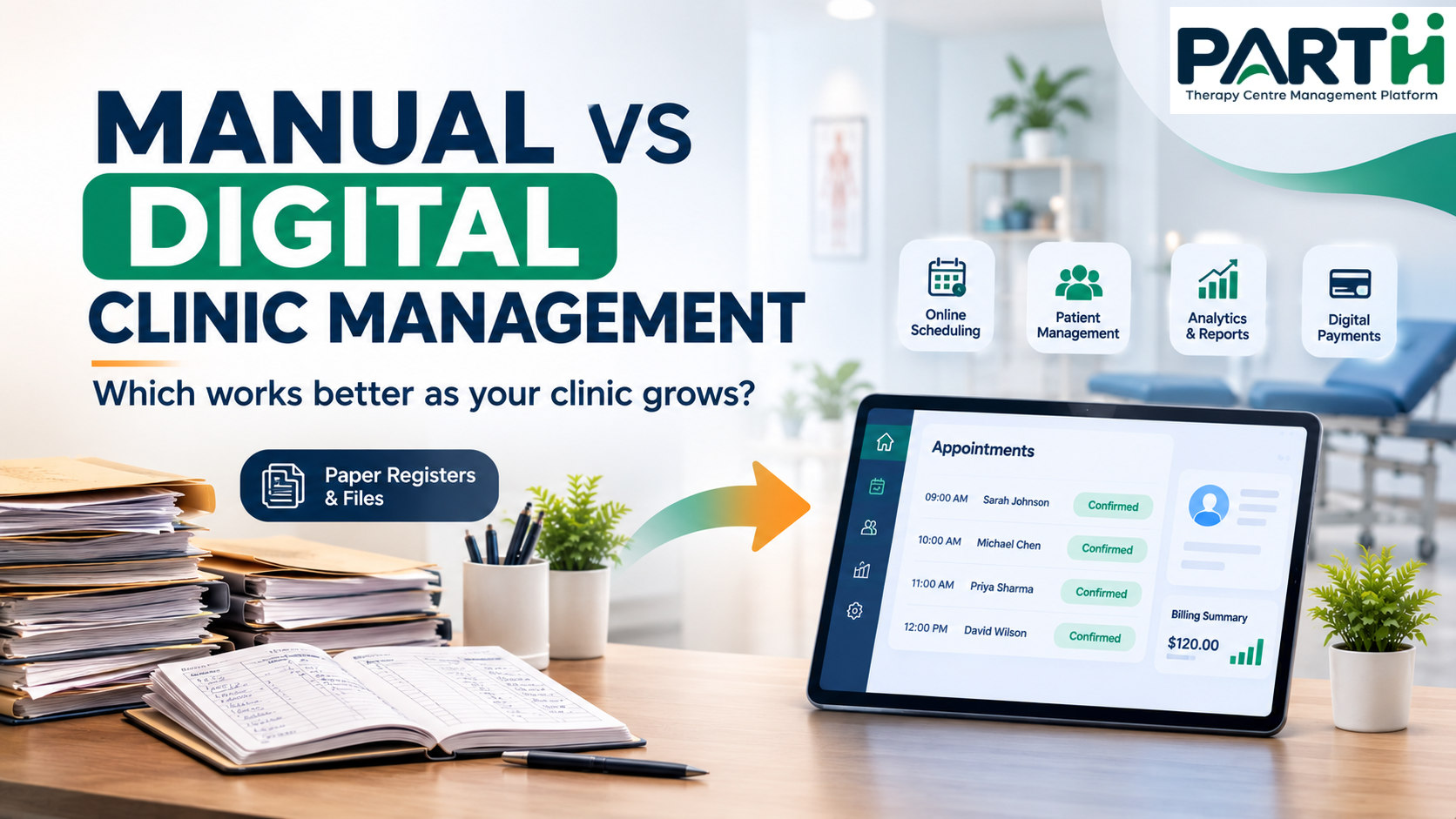
Manual vs. Digital Clinic Management: Key Differences
| Activity | Manual Management | Digital Management |
|---|---|---|
| Appointments | Diaries and registers | Central digital schedule |
| Patient records | Physical files | Searchable digital records |
| Staff coordination | Calls and verbal updates | Shared schedules and records |
| Progress tracking | Paper notes | Organised session records |
| Billing | Manual calculations | Digital billing records |
| Follow-ups | Personal reminders | Software-supported reminders |
| Reports | Manual calculations | Structured summaries |
The main difference is how information is recorded, organised and accessed.
Problems Clinics May Face with Manual Management
1. Finding Patient Records Takes Time
When patient information is stored in physical files, staff may need to search through multiple records to find the required details.
2. Appointment Confusion
Changes, cancellations and overlapping appointments can become difficult to track when schedules are maintained manually.
3. Repeated Data Entry
The same information may need to be written in multiple registers or spreadsheets, increasing administrative work.
4. Billing and Reporting Delays
Manual calculations can take time, especially when the clinic needs to review payments, expenses or monthly performance.
5. Dependence on Individual Staff Members
When important information is known only to one receptionist or staff member, daily operations may become difficult if that person is unavailable.
Benefits of Using Clinic Management Software
1. Centralised Patient Information
Patient details and relevant records can be organised in one digital system.
2. Better Appointment Management
A shared schedule helps staff view appointments and manage changes more systematically.
3. Organised Therapy Records
Therapists can maintain session-related information and review previous records where the system supports it.
4. Simplified Billing
Digital billing records can help clinics organise payments, receipts and outstanding amounts.
5. Better Operational Visibility
Structured records and reports help clinic owners review daily activities and identify areas that need attention.
Should Every Clinic Switch to Digital Management?
Not necessarily.
A very small clinic with fewer patients and limited staff may be able to manage its operations manually.
However, as the clinic grows, it may need to coordinate more appointments, patient records, therapists and financial activities.
A digital system becomes useful when manual processes start consuming too much time or making information difficult to manage.
How to Move from Manual to Digital Management
Switching systems does not need to happen all at once.
- 1Identify your current challenges: Find out which tasks consume the most time.
- 2Choose suitable software: Check whether it supports your clinic's actual workflow.
- 3Start with essential records: Begin with patient details and appointment schedules.
- 4Train your staff: Make sure receptionists, therapists and administrators understand the system.
- 5Transfer active records carefully: Maintain accuracy and protect patient information.
- 6Review the process: Collect staff feedback and improve the workflow.
How Parthcare Helps Clinics Manage Daily Operations
Parthcare is designed to support therapy centres and clinics with their everyday management activities.
It brings together features such as:
- Patient management.
- Appointment scheduling.
- Therapist management.
- Therapy session records.
- Patient progress tracking.
- Billing and payment records.
- Staff attendance.
- Reports and operational insights.
By organising these activities in one platform, Parthcare helps clinics manage their workflows more systematically.
Explore the platform at Parthcare.
Conclusion
Manual clinic management can work for a small practice, but it may become difficult as patient numbers, staff and responsibilities increase.
Clinic management software helps organise appointments, patient information, therapy records and administrative tasks in a more structured way.
The right choice depends on your clinic's size, workflow and operational needs. The goal is simple: spend less time managing scattered information and more time focusing on patient care.
Frequently Asked Questions
1. What is the difference between manual and digital clinic management?
Manual management uses paper registers, diaries and spreadsheets. Digital management uses software to organise appointments, patient records, billing and other clinic activities.
2. Is clinic management software suitable for small clinics?
Yes. Small clinics can also benefit from organised patient records and appointment scheduling, depending on their requirements.
3. Can clinic management software reduce paperwork?
It can reduce the need for physical registers and repeated manual entries by maintaining information digitally.
4. Is digital clinic management expensive?
Pricing varies depending on the software, features, number of users and support included.
5. Can therapists access patient records?
That depends on the software's role-based access settings and permissions.
6. Is patient information safe in clinic management software?
Clinics should choose systems with suitable security, access controls, data protection practices and backup arrangements.
7. How long does it take to switch to digital management?
It depends on the amount of existing data, staff training and the complexity of the clinic's workflow.
8. What should I check before choosing clinic management software?
Review appointment scheduling, patient management, billing, staff coordination, reporting, usability, security and customer support.